

Manage your contracts and project invoices in one place
With Project Contracts and Billing, write the contract, have your customer accept it online, then create your invoices and track payments, without leaving the project record.
What changes
From contract to payment, inside the project record
An accepted contract, not a verbal agreement
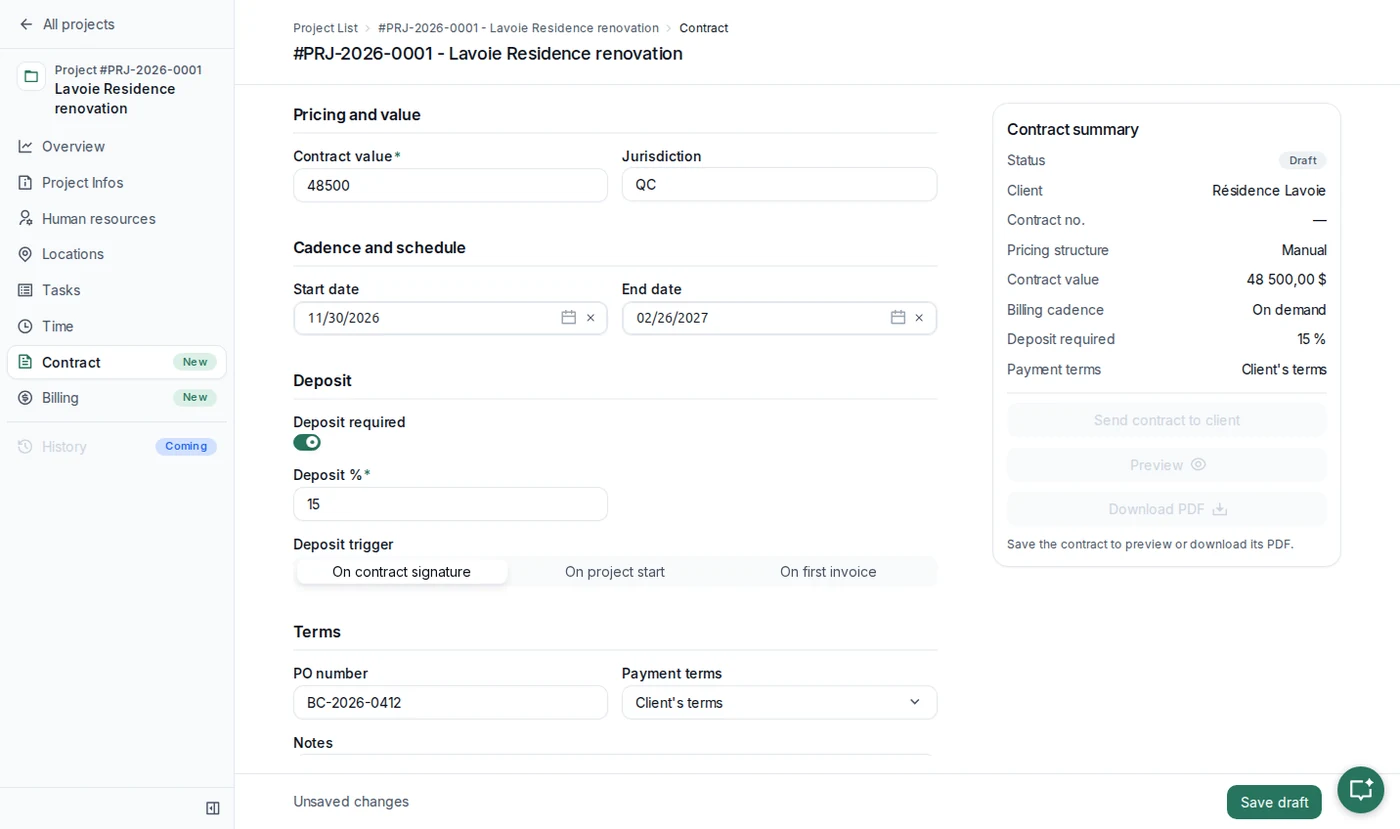
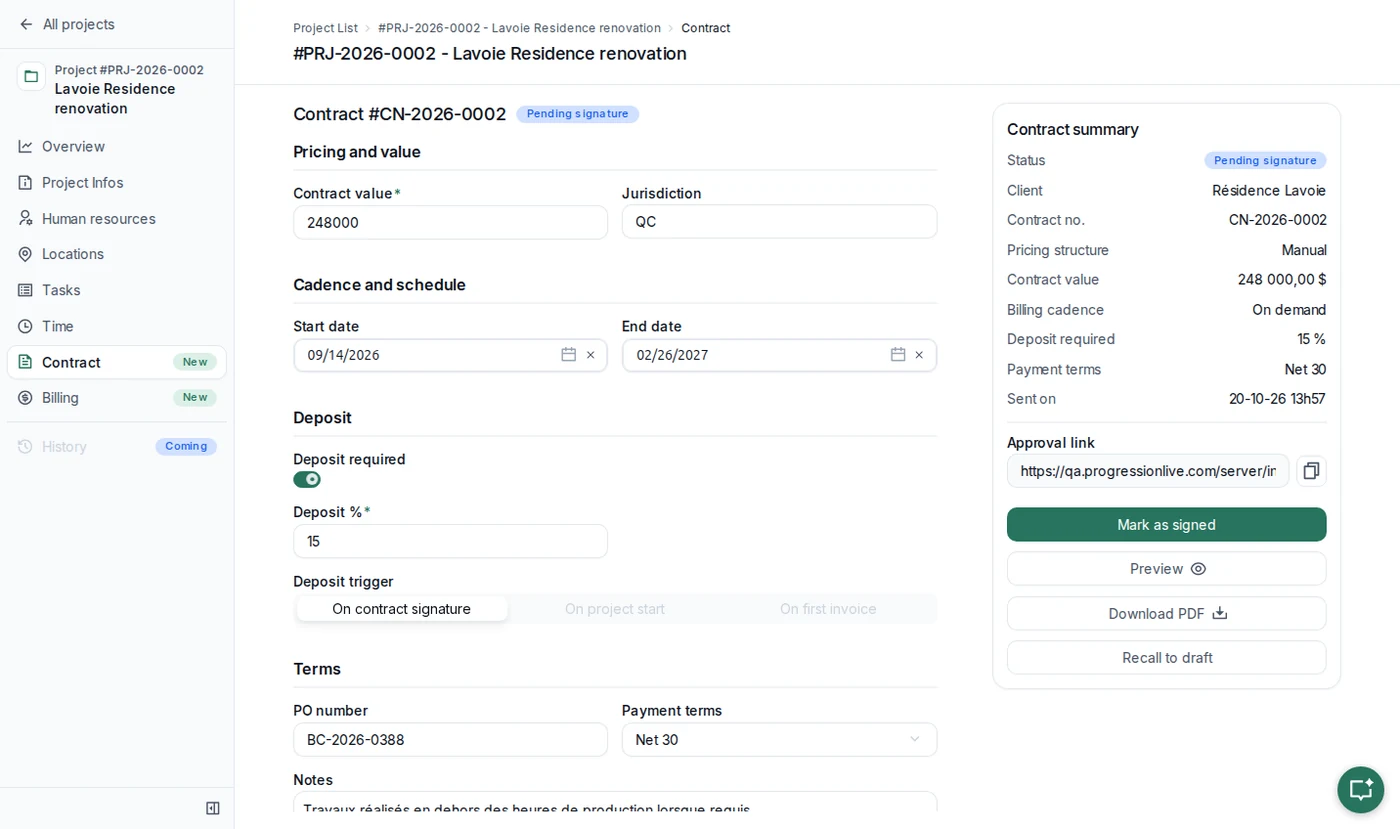
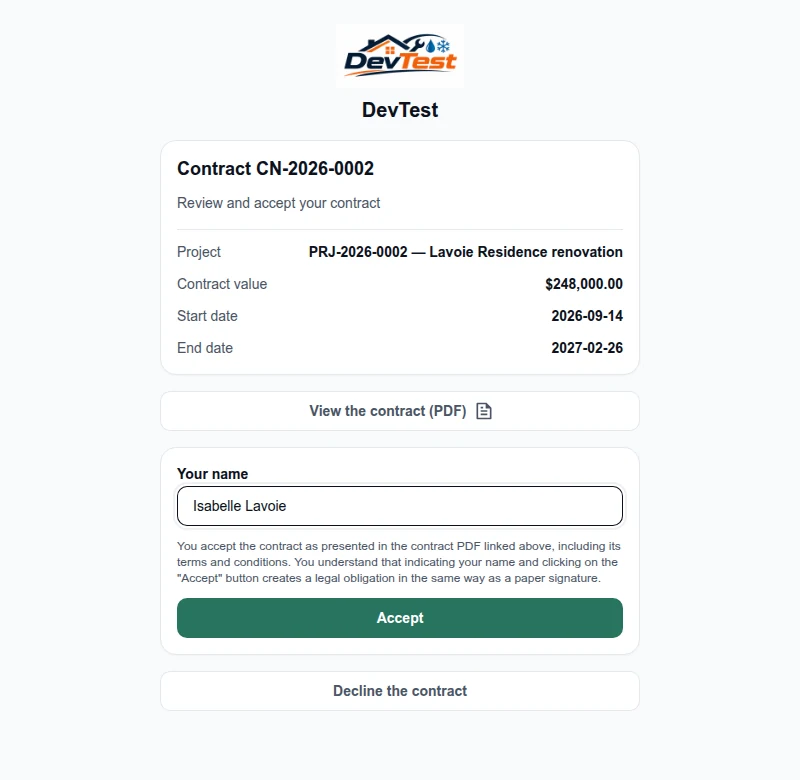
The contract records the value, the dates, the deposit, the purchase order and the payment terms. When your customer accepts or declines it online, their answer is kept with the project: you have a record for your files.
Invoices created step by step
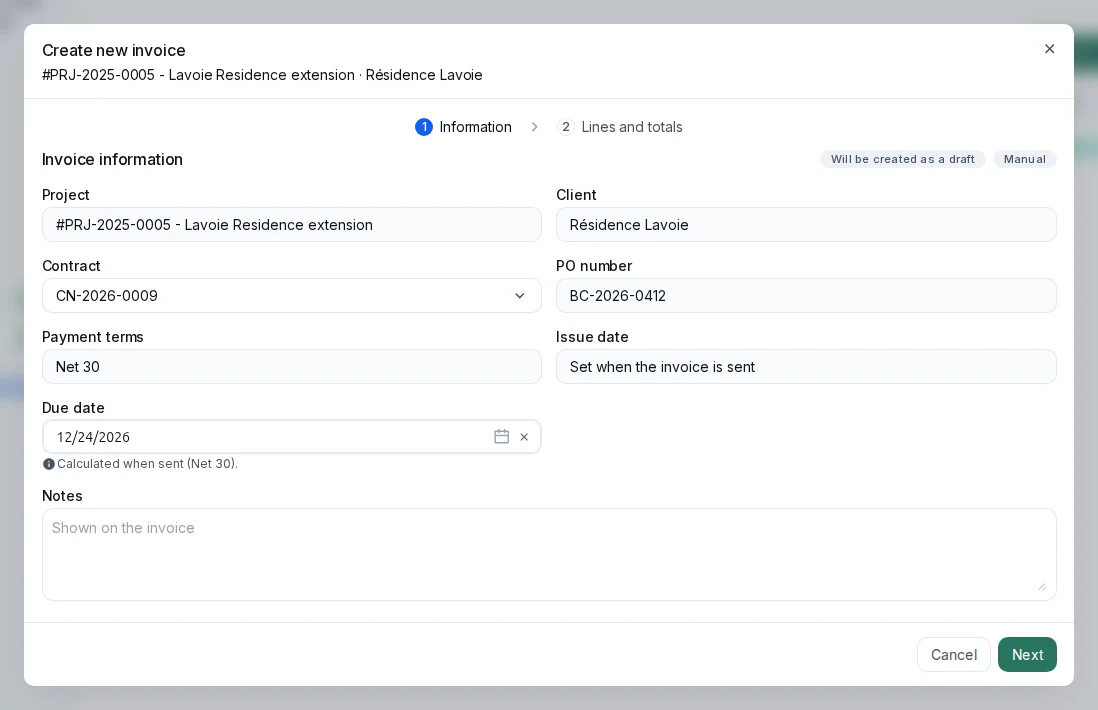
A guide walks you through creating each invoice. It stays a draft until you issue it: you can prepare and review it at your own pace, without it going out too early.
Always know where each invoice stands
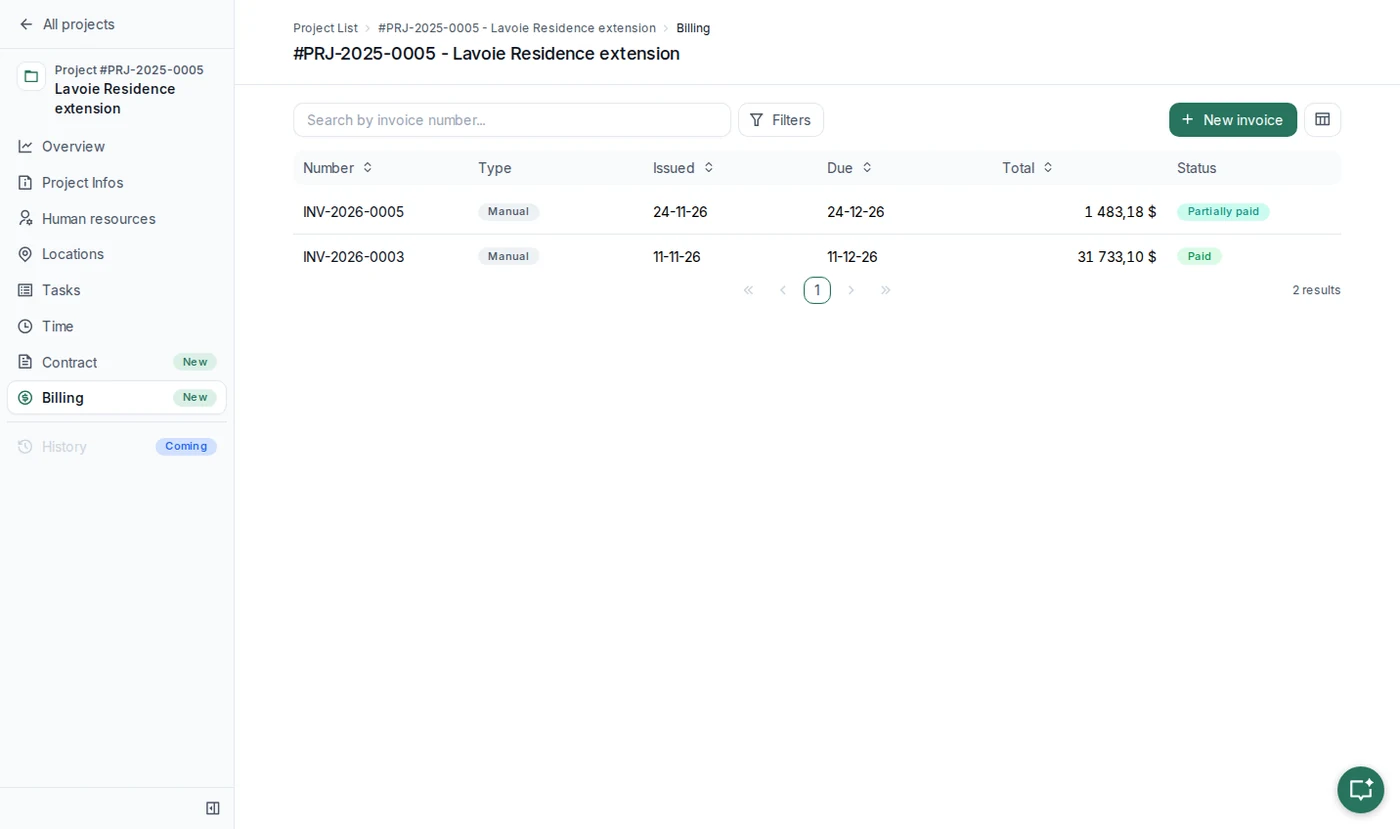
Record the payments you receive and each invoice moves from Partially paid to Paid: you know what’s settled and what’s still to come in. If needed, cancel it with a reason or download the PDF.
Your project documents, all in one place
The contract and invoices live in the project record: you find everything without searching. Only roles with permission can access them.
How it works
From accepted contract to payment received.
FAQ
Frequently asked questions
Does ProgressionLIVE send the contract to my customer?
No. You copy the approval link and send it yourself. Your customer opens it and accepts online.
Can I invoice by milestone or on a recurring basis?
Not yet. Recurring, milestone and progress invoicing are in development.
Can my customer pay online?
Not yet. You record the payments you receive, and online payment is in development.
Is it connected to my accounting?
Not yet. Accounting integration is in development.
Who sees the Contract and Billing sections?
Only roles with the “Project invoicing access” permission.
Which plan includes it?
Pro and Premium, at no extra cost.

